01
Tables stay tables.
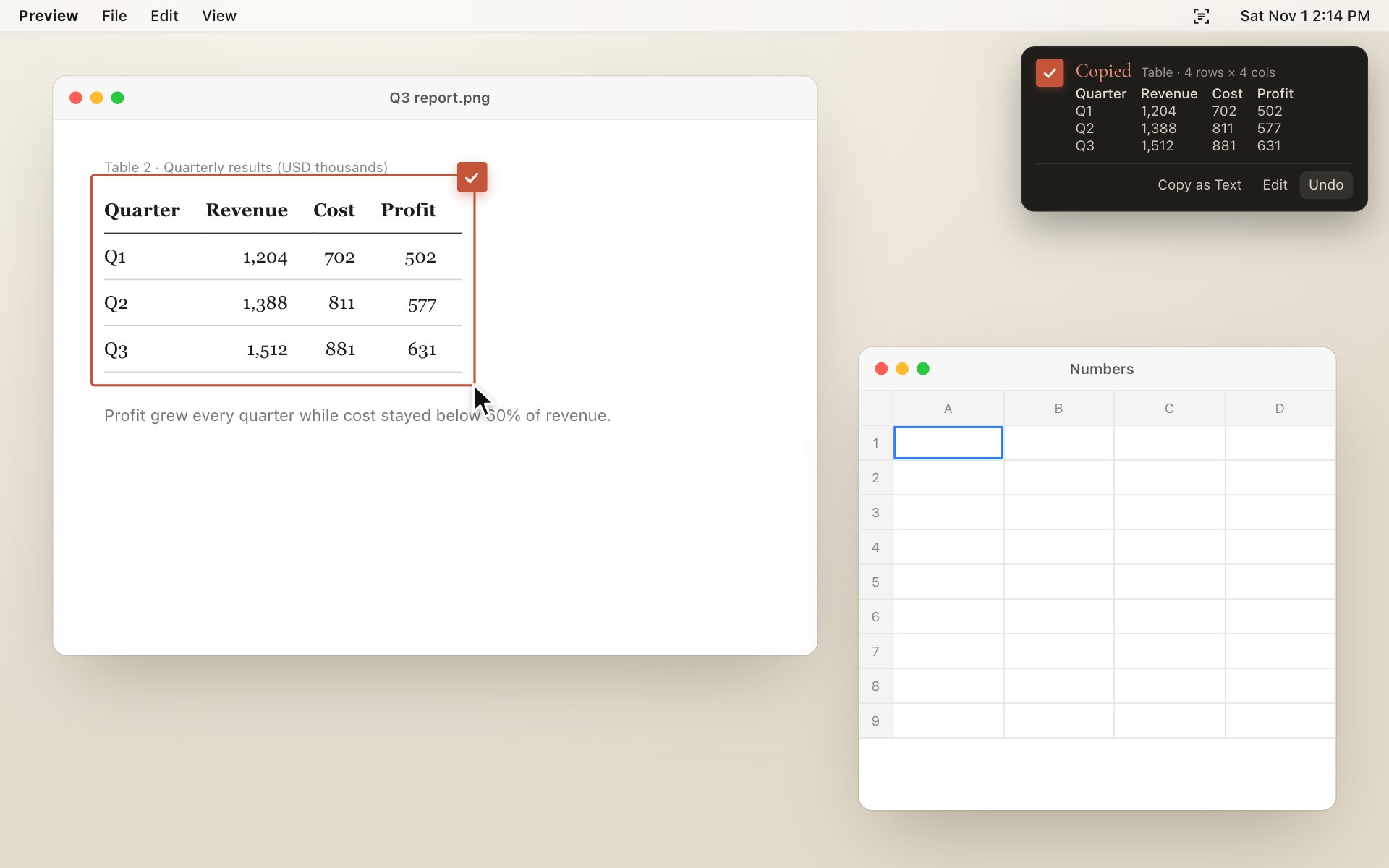
Select a table in a screenshot and paste it into Numbers, Excel or Google Sheets with every cell in place. 98% of cells right on our table benchmark.
A free menu bar app for Mac · Open source
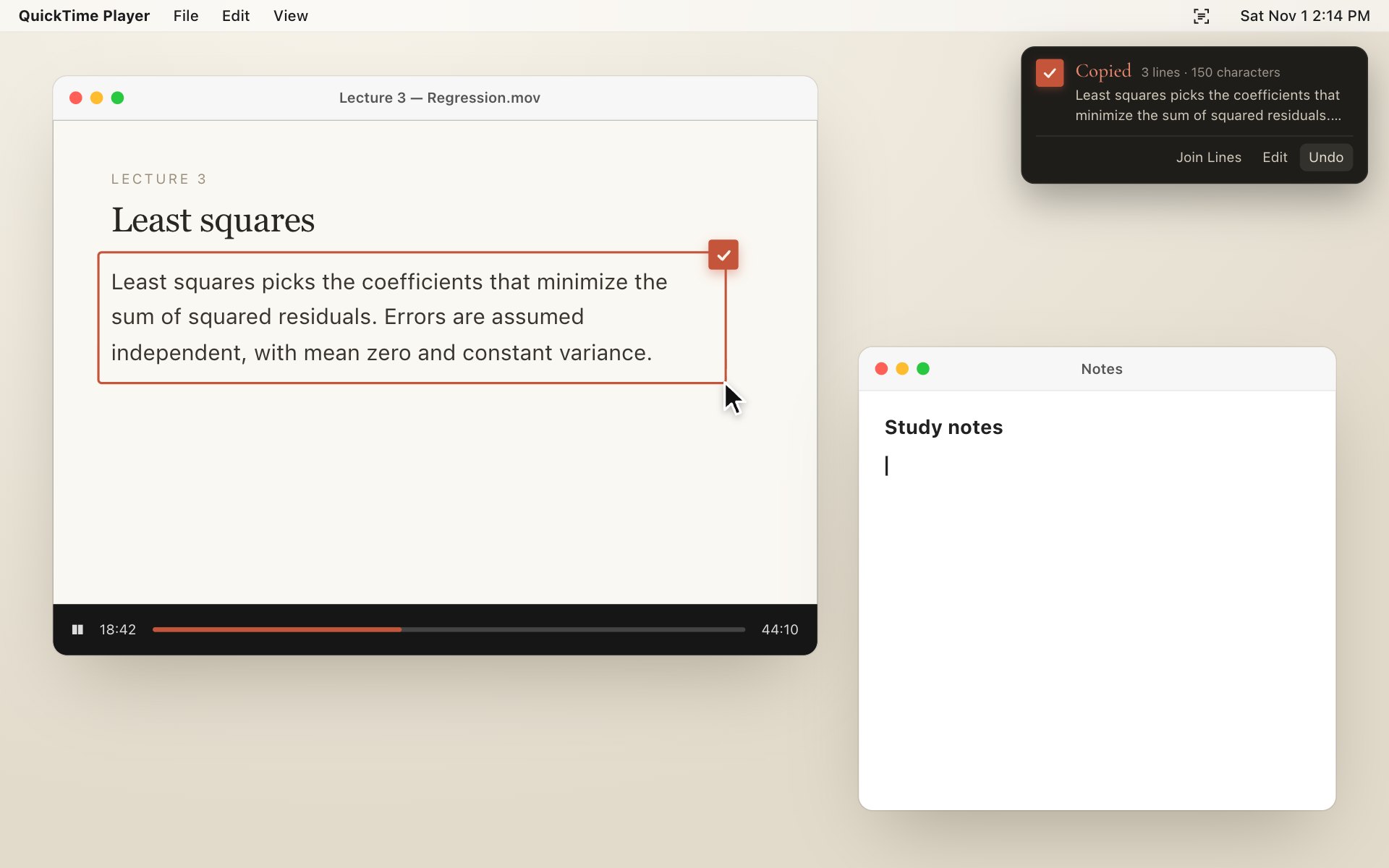
Press ⇧⌘2 and drag over anything — a video, a photo, a PDF that won’t let you copy. Let go, and the text is already on your clipboard.
Jupjup isn’t notarized by Apple yet. Close the dialog, then open System Settings › Privacy & Security and click Open Anyway. The disk image includes the same steps.
Select a table in a screenshot and paste it into Numbers, Excel or Google Sheets with every cell in place. 98% of cells right on our table benchmark.
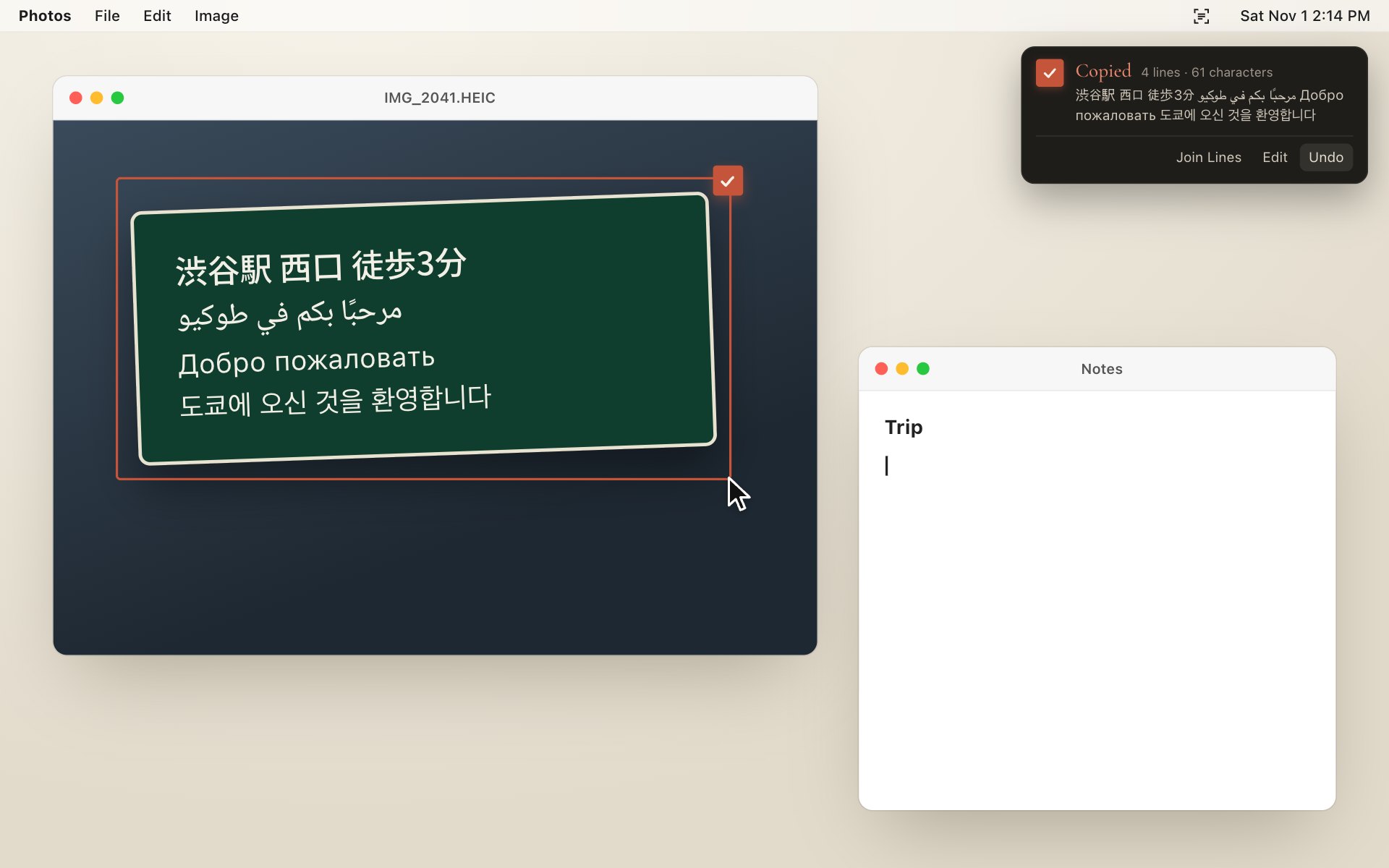
Korean, Japanese, Chinese, Arabic, Cyrillic, Thai… Jupjup reads your languages first and tries the others by itself. 97–100% on twelve languages in our tests.
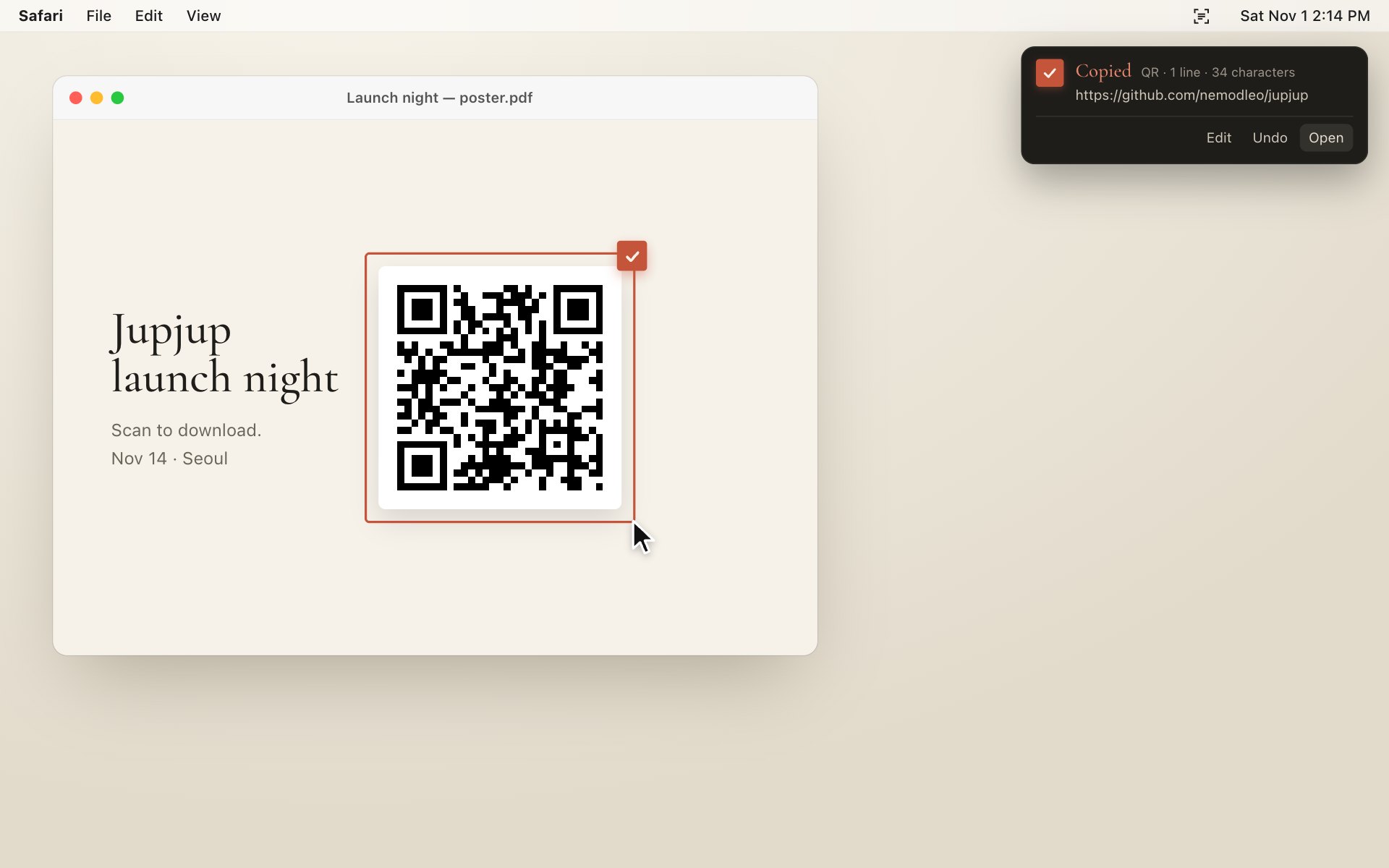
Select a QR code or barcode and the link is on your clipboard, with an Open button right in the notification. Dotted, rounded and logo-covered codes included.
One click restores whatever was on your clipboard before.
Join broken lines or edit the text right in the notification.
Space picks a whole window. ⇧⌘2 again reuses the last area.
The interface follows your Mac, right-to-left included.
No account, no server. Recognition runs on device with Apple’s Vision. Optional crash and usage reports send counts only — never text, images or positions — and turn off in one click. Privacy policy →
To pick something up off the floor, one piece at a time.
Download for Mac